
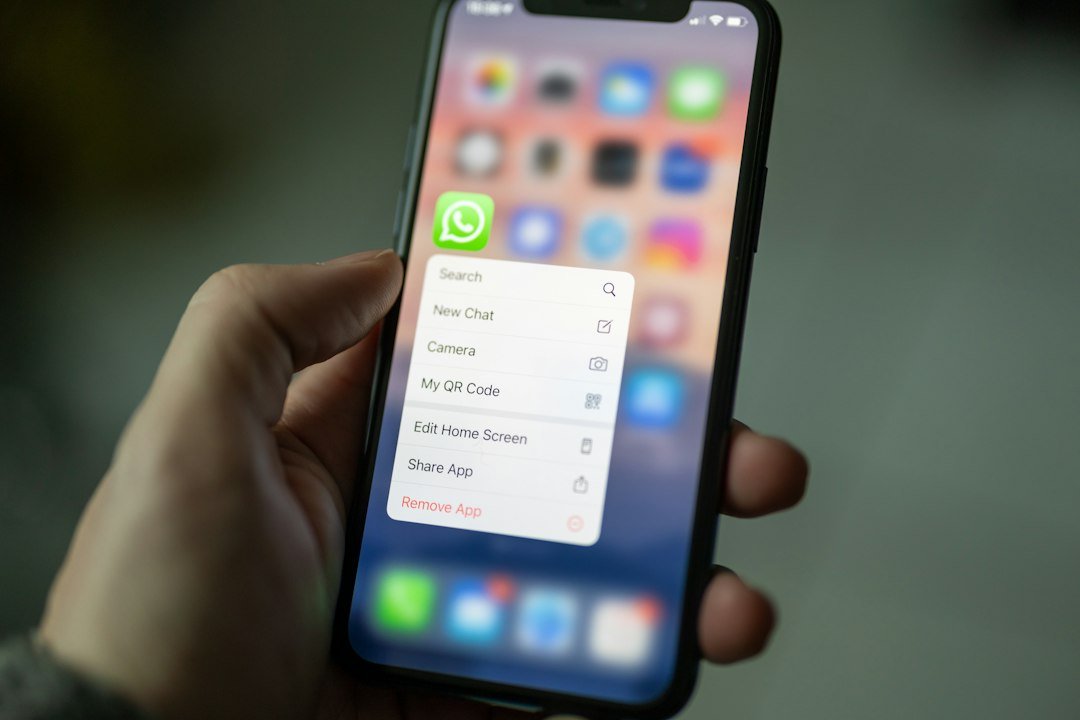
WhatsApp in 2026: Privacy, Messaging, Communities, Channels and New Security Features
WhatsApp has grown far beyond simple one-to-one messaging. Today, the platform brings together private chats, voice and video calls, group conversations, communities, channels, file sharing and a growing collection of privacy and security controls. For millions of users, these features make WhatsApp an important tool for staying connected with family, friends, businesses, organisations and communities.
As WhatsApp continues to introduce new features, understanding its privacy and security options has become increasingly important. Users can choose who can contact them, control certain profile information, manage group invitations and use additional protections designed to make conversations more secure.
This guide explains the major WhatsApp features available in 2026, including private messaging, calls, Groups, Communities, Channels, privacy controls and the newer Strict Account Settings.
WhatsApp and Private Communication
At the heart of WhatsApp are private conversations between individuals and small groups. Users can exchange text messages, photographs, videos, documents, voice messages and other forms of media.
WhatsApp states that personal messages and calls are protected by end-to-end encryption. Under this security model, the contents of an encrypted conversation are intended to remain accessible only to the participants communicating with each other. WhatsApp says that it cannot read personal messages or listen to personal calls protected by end-to-end encryption.
This protection is an important part of WhatsApp’s approach to private communication. However, encryption does not mean that users should ignore other security risks. A person can still expose an account by sharing verification codes, clicking on malicious links, installing unsafe software or giving another person access to an unlocked device.
Users should therefore treat account security as a combination of encryption, careful behaviour and appropriate privacy settings.
Voice and Video Calls
WhatsApp also allows users to communicate through voice and video calls. These features are particularly useful for people who want a more direct conversation without relying on traditional mobile calls.
Voice and video calls can be used between individuals and, depending on the available feature, within group conversations. Users can communicate across countries without needing to use conventional international calling services, although internet or mobile-data charges may apply.
Privacy remains important when using calls. Users should avoid accepting calls or interacting with unknown contacts when they have concerns about who is contacting them.
WhatsApp has also introduced controls intended to reduce unwanted communication, giving users more ways to manage calls from people they do not know.
WhatsApp Groups
Groups are one of the platform’s most widely used features. A WhatsApp Group can bring together family members, friends, colleagues, school communities, customers, organisations or other groups of people.
Group conversations can support:
- Text messaging
- Photos and videos
- Documents and files
- Voice messages
- Voice communication
- Video communication
- Polls
- Events
- Shared information and announcements
Groups can be useful for coordinating activities. A school group, for example, can be used to share information with parents and students, while a business group can help teams communicate about daily activities.
At the same time, large groups can generate significant amounts of information. Users may receive frequent messages, media files and notifications. Managing notification settings and deciding which groups to join can therefore help reduce unnecessary interruptions.
Communities Bring Related Groups Together
WhatsApp Communities provide a way to organise several related groups under a broader community structure.
Instead of keeping every conversation inside one large group, administrators can organise different groups around specific topics or purposes. A community might contain separate groups for departments, neighbourhood activities, school classes, clubs or other organisations.
Communities can also provide announcement capabilities. This gives administrators a way to distribute important information to members without requiring every announcement to become part of an ordinary group conversation.
The feature can be particularly useful where an organisation needs multiple smaller discussions while still maintaining a central communication structure.
WhatsApp Channels
WhatsApp Channels work differently from ordinary chats and groups. They are designed primarily for broadcasting updates from individuals, organisations, brands and other publishers to followers.
A channel can be used to distribute:
- News updates
- Announcements
- Photos
- Videos
- Links
- Information about events
- Business updates
This makes Channels useful for organisations that want to reach an audience without placing every follower into a conventional group conversation.
WhatsApp says that followers’ phone numbers are not shown to channel administrators or other followers, subject to its applicable privacy rules. This provides an additional separation between broadcasting information and ordinary personal messaging.
For publishers, Channels can therefore provide a way to communicate with an audience while keeping follower contact details more private.
Privacy Controls Give Users More Choices
WhatsApp provides several settings that allow users to control aspects of their experience.
Depending on the feature and the user’s account, people can manage who can add them to groups and who can see certain profile information. These settings can be particularly useful for people who receive messages from large numbers of contacts.
Privacy controls can help users decide how much information they want to make visible. Profile photographs, status information and other account details may be visible according to the settings selected by the user.
Rather than relying on a single privacy setting, users should review the different options available inside their WhatsApp account.
Protecting Your Account
Privacy and account security are closely connected, but they are not exactly the same thing.
A private message can be protected by encryption, while an account can still be targeted by scams or social engineering. Attackers may attempt to persuade users to reveal verification codes or other sensitive information.
One of the most important rules for WhatsApp users is therefore simple: never share a WhatsApp registration or verification code with another person unless you fully understand why it is required and who is requesting it.
Users should also be cautious when receiving unexpected links, files or messages from unknown accounts.
Two-step verification and other account-security options can provide additional protection where available.
Encrypted Backups
WhatsApp also provides options related to the security of chat backups.
Backups are important because users may want to restore conversations when moving to a new phone or recovering their account. WhatsApp has offered encrypted backup functionality designed to provide an additional layer of protection for stored chat backups.
Users who rely on backups should review the backup settings available on their account and understand how their selected backup method works.
Keeping an encrypted backup can be particularly useful when conversations contain important personal, professional or family information.
Chat Protection Features
WhatsApp has continued developing tools intended to give users greater control over sensitive conversations.
Chat-protection features can provide additional privacy for selected conversations and can help keep certain chats away from casual access on a shared or unlocked device.
The availability and exact operation of these features can change as WhatsApp updates its applications. Users should therefore check the settings displayed in their own version of the app rather than assuming that every account has exactly the same options.
Strict Account Settings in 2026
One of the notable security developments announced by WhatsApp in January 2026 was strict account settings.
WhatsApp described the feature as a more restrictive security option designed to provide additional protection against sophisticated attacks. According to WhatsApp, the setting can restrict certain attachments and media from unknown senders and silence calls from people users do not know.
The idea behind a stricter security mode is to reduce opportunities for unwanted or potentially dangerous interactions.
This type of protection may be particularly relevant for users who believe they could be targeted by sophisticated digital attacks. However, stronger restrictions can also affect how an account interacts with unfamiliar contacts.
Users should therefore understand what a security setting changes before enabling it.
Why New Security Features Matter
Digital communication is constantly changing. As messaging platforms add new capabilities, attackers also develop new methods of targeting users.
A person does not necessarily need to be a technology expert to improve their WhatsApp security. Basic precautions can make a meaningful difference.
Users should consider regularly checking:
- WhatsApp privacy settings
- Group invitation controls
- Two-step verification
- Linked devices
- Backup settings
- Blocked contacts
- Unknown callers
- Chat-protection options
- Available security features
Regular reviews are important because applications can introduce new controls and change how existing features work.
WhatsApp for Businesses and Organisations
WhatsApp is no longer used only for personal conversations. Businesses, media organisations, community groups and other organisations increasingly use messaging tools to communicate with customers and audiences.
Groups can support internal communication, while Channels can provide a broadcast-style method for distributing updates.
For organizations, privacy should remain a major consideration. Administrators should avoid unnecessarily collecting or sharing personal information and should ensure that employees understand how company communication accounts are managed.
Businesses should also distinguish between private customer conversations and public-facing announcements.
WhatsApp as a News and Information Platform
Channels have also expanded the role WhatsApp can play in information distribution.
Instead of visiting a website repeatedly to check for updates, users can follow channels that publish information directly within WhatsApp.
This can be useful for news organizations, broadcasters, sports publishers and community information services.
However, the convenience of receiving updates through messaging also makes it important to verify information. Users should check the original publisher and compare important claims with reliable sources before treating a message as confirmed news.
A WhatsApp message being forwarded many times does not automatically make it accurate.
Features Can Differ Between Users
One important point for WhatsApp users in 2026 is that not every feature necessarily appears in exactly the same way for everyone.
Availability can depend on factors such as:
- Device type
- Operating-system version
- WhatsApp version
- Account configuration
- Country or region
- Feature rollout timing
As a result, two people using WhatsApp on different phones may see different options.
If a feature described online does not appear on an account, the user should first check whether WhatsApp and the device software are updated and whether the feature is available in their region.
How Users Can Improve Their WhatsApp Privacy
A few practical steps can help users strengthen their everyday security.
First, review who can add you to groups. If you frequently receive unwanted group invitations, adjusting this setting can reduce unwanted additions.
Second, review profile visibility. Users should decide whether everyone, their contacts or a more restricted audience should be able to see available profile information.
Third, check linked devices regularly. If an unfamiliar device appears, investigate it and remove access where appropriate.
Fourth, enable available account-security features. Two-step verification can provide an additional layer of protection beyond the basic registration process.
Fifth, be careful with unexpected messages. Even when a message appears to come from someone familiar, unusual requests for money, passwords or verification codes should be treated cautiously.
Privacy Is an Ongoing Process
WhatsApp privacy should not be treated as something that is configured once and then forgotten.
People change phones, add new contacts, join new groups and use new features. WhatsApp also continues to introduce updates.
For this reason, users should occasionally revisit their settings and check whether they still reflect their preferences.
The most secure configuration is not necessarily the same for every person. Someone who uses WhatsApp mainly for family communication may have different needs from a business owner, journalist, community administrator or public-facing organization.
Final Thoughts
WhatsApp has evolved into a broad communication platform combining private messaging, calls, Groups, Communities, Channels, file sharing and increasingly sophisticated privacy and security tools.
End-to-end encryption remains an important part of personal messaging and calling, while privacy controls give users greater influence over who can contact them and what information they share.
The introduction of Strict Account Settings in 2026 also demonstrates the platform’s continuing focus on protection against more sophisticated digital threats. At the same time, users remain an important part of the security process.
Keeping WhatsApp updated, protecting verification codes, reviewing privacy settings, checking linked devices and being cautious about unexpected messages can all contribute to safer digital communication.
Because WhatsApp features and availability can change, users should consult official WhatsApp and Meta resources for the latest information before changing important security settings.
Official Sources